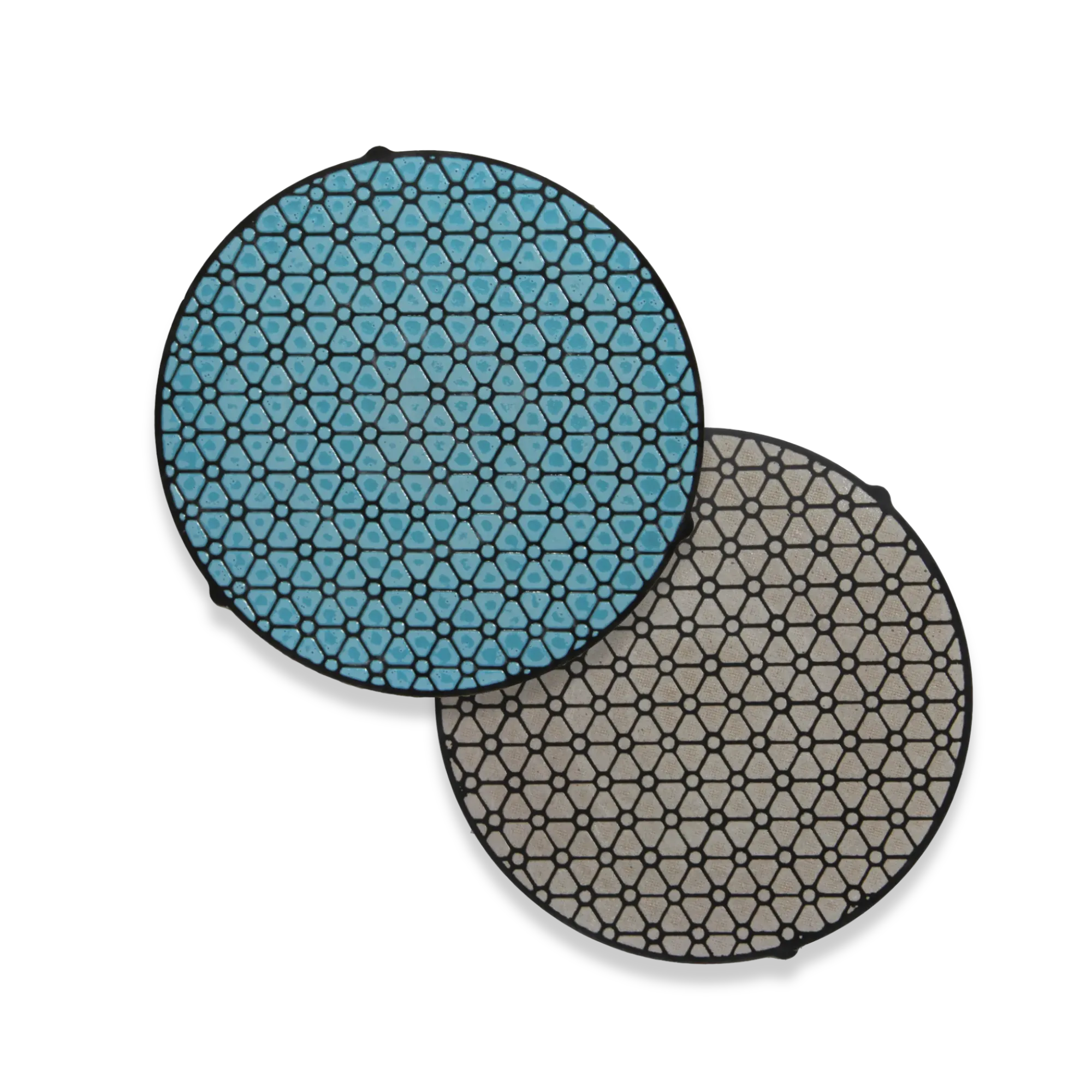
Composite Grinding Disks

PACE Technologies' composite grinding disks offer long-lasting, rigid support for consistent surface planarity and aggressive material removal during metallographic sample preparation. These innovative disks are precharged with diamond abrasives to eliminate manual charging steps and reduce variability, making them ideal for high-volume sample preparation.

Composite Grinding Disks

Key Considerations

Use With Diamond Suspension

Apply diamond suspension in the disk's working range (3-6 µm for ORION, 6-15 µm for SIRIUS) to extend cutting action during long sessions. Do not use oxide suspensions (alumina, colloidal silica) on diamond-charged disks, as they cross-contaminate the cut zone and embed foreign abrasive into subsequent specimens.

Maintain Consistent Cleaning

Rinse and clean the disk surface between stages to prevent contamination and wear artifacts that can affect sample quality.

Verify Magnetic Platen Compatibility

ORION and SIRIUS composite disks ship with magnetic steel backing and require a compatible magnetic platen or steel receiver wheel. Verify your grinder accepts magnetic-backed disks before ordering.

Introduction

Composite grinding disks provide an innovative solution for intermediate grinding and polishing stages in metallographic sample preparation. PACE Technologies offers two advanced composite disk systems: the ORION and SIRIUS, both engineered for high material removal rates, surface uniformity, and extended disk life.

Unlike traditional consumables, these disks are precharged with diamond abrasives to eliminate manual charging steps and reduce variability. The ORION disk is embedded with 3-micron diamond for fine grinding/rough polishing, while the SIRIUS disk utilizes 9-micron diamond for coarser, aggressive grinding, equivalent to replacing conventional 320-600 grit SiC grinding steps.

Application Guidelines

  • Mounting: Apply the magnetic-backed composite disk to a compatible steel receiver wheel or platen.
  • Suspension Use: Although precharged, additional diamond suspension matching the disk's working range can be applied to extend cutting action during long sessions: 3-6 µm diamond for ORION, 6-15 µm diamond for SIRIUS. Never apply oxide suspensions (alumina, colloidal silica) to a diamond-charged disk.
  • Lubrication: Use water or grinding lubricant to flush debris, prevent overheating, and extend disk performance.
  • Cleaning: Rinse thoroughly with water after each use. Allow the disk to dry before storage to maintain surface integrity.

Process Description

Composite disks are a semi-fixed abrasive system: diamond grains are embedded in a resilient matrix that wears at a controlled rate to continuously expose fresh cutting points. This combines the flatness and removal rate of a rigid disk with the self-renewing cutting action of free abrasive on cloth, eliminating the manual recharging step required with conventional polishing cloths. Material removal is achieved while minimizing subsurface deformation, making composite disks well-suited for reducing preparation time without sacrificing flatness or reproducibility.

Their rigid construction makes them compatible with both manual and semi-automatic grinding systems, and they are particularly valuable in labs preparing high volumes of samples for microstructural analysis, hardness testing, or failure analysis. A typical workflow uses SIRIUS (9 µm) to replace 320-600 grit SiC grinding steps, followed by ORION (3 µm) to bridge into final polishing.

Recommended Procedures

  • Use the SIRIUS disk (9 µm diamond) for initial planar grinding following sectioning or coarse abrasion.
  • Transition to the ORION disk (3 µm diamond) for intermediate polishing before final polishing stages.
  • Use complementary (matched) rotation: head and platen in the same direction at matched speeds. Typical settings: 200/200 RPM for SIRIUS, 100/100 to 150/150 RPM for ORION fine work. Avoid true counter-rotation (head and platen in opposite directions), which is overly aggressive and increases subsurface damage.
  • Apply light to moderate pressure, typically 20-40 N per specimen (≈4-9 lbf per specimen), depending on sample material and size. For multi-specimen central-load heads, multiply by the number of specimens to set total head force.

Product Descriptions

Description Size Catalog Number Product Image
ORION Composite Disk precharged with 3 µm diamond (magnetic steel backing) 8-inch
10-inch
12-inch
ORION-MD08
ORION-MD10
ORION-MD12
PACE Technologies ORION Composite Disk
SIRIUS Composite Disk precharged with 9 µm diamond (magnetic steel backing) 8-inch
10-inch
12-inch
SIRIUS-MD08
SIRIUS-MD10
SIRIUS-MD12
PACE Technologies SIRIUS Composite Disk
View collection →

Troubleshooting

Symptom Cause Corrective Action
Uneven grinding or sample tilt Disk wear or improper mounting Replace the disk and ensure platen surface is flat and clean
Excessive scratching or pitting Disk contamination or incorrect abrasive size Flush with water, use proper micron suspension, or replace disk if heavily worn
Short disk life Excessive pressure or lack of lubrication Reduce force, ensure water flow, and avoid dry grinding

Related Equipment

NFZ System (NANO-FEMTO-ZETA-RC)

The NFZ System integrates NANO manual polishers, FEMTO autopolishing heads, ZETA automated dispensers, and RC recirculating filter systems into a complete grinding and polishing workflow for composite disk preparation.

Frequently Asked Questions

Common questions about composite grinding disks

What's the difference between ORION and SIRIUS composite disks?

ORION disks are precharged with 3-micron diamond and are used for fine grinding and rough polishing stages. SIRIUS disks contain 9-micron diamond for more aggressive grinding, replacing conventional 320-600 grit SiC papers. SIRIUS is ideal for initial planar grinding, while ORION provides a smoother intermediate finish before final polishing.

Do I still need to add diamond suspension when using composite disks?

Composite disks are precharged with diamond, so additional suspension is not required for short sessions. For extended grinding or to maintain cutting efficiency, apply diamond suspension matching the disk's working range: 3-6 µm diamond for ORION, 6-15 µm diamond for SIRIUS. Use diamond suspension only. Never apply alumina, colloidal silica, or other oxide suspensions to a diamond-charged disk, as they will contaminate the cut zone and embed in subsequent specimens. Always use water or a grinding lubricant to flush debris and prevent overheating.

How long do composite disks typically last?

Disk life depends on material hardness, grinding pressure, and lubrication. With proper use (light to moderate pressure, adequate water flow, and regular cleaning), composite disks can process hundreds of samples. Replace disks when grinding performance decreases significantly, excessive scratching occurs, or visible wear is apparent on the disk surface.

Can I use composite disks on any grinding equipment?

ORION and SIRIUS composite disks require a compatible magnetic steel receiver wheel or platen. They work with most manual and semi-automatic grinding systems that accept 8-inch, 10-inch, or 12-inch magnetic-backed consumables. Verify your equipment has the proper magnetic platen before ordering. If your equipment does not accept magnetic-backed disks, contact PACE Technical Support to discuss adapter platens or alternative consumables.

What pressure should I use when grinding with composite disks?

Use light to moderate pressure, typically 20-40 N per specimen (≈4-9 lbf per specimen) depending on sample material and size. For central-load semi-automated heads, multiply by the number of specimens in the holder to set total head force. Excessive pressure reduces disk life, increases heat generation, and can cause sample deformation. Start with lighter pressure and increase only if material removal is too slow. Always ensure adequate water flow during grinding.

How should I clean and store composite disks?

Rinse disks thoroughly with water after each use to remove debris and swarf. Allow them to dry completely before storage to prevent corrosion of the magnetic backing and maintain surface integrity. Store disks flat in a clean, dry location away from contaminants. Regular cleaning extends disk life and ensures consistent grinding performance.

Shop Now